Mastering Data Center Icons for Modern Tech Design
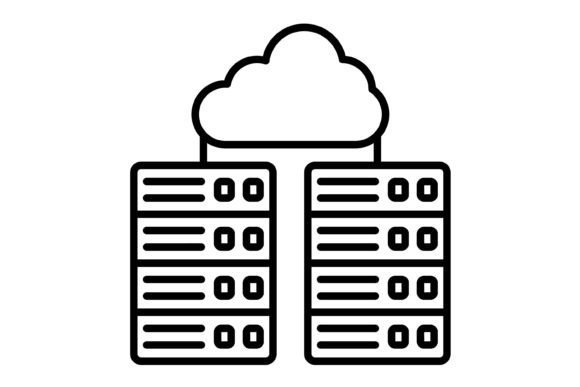
When you are building a brand in the tech, cloud computing, or IT sector, your visual language needs to speak a dialect of precision and reliability. We often focus heavily on typography and color palettes, but the iconography you choose is just as critical to your brand identity. Today, we are taking a deep dive into the Data Center Outline Icon set. This collection isn't just a random assortment of server rack drawings; it is a carefully curated toolkit designed to bridge the gap between complex technical concepts and clean, modern web design.
The visual personality of the Data Center Outline Icon is defined by its minimalism. It strips away the heavy gradients and 3D effects that defined "tech" visuals ten years ago. Instead, it embraces a flat, linear aesthetic that feels open, airy, and approachable. This style is crucial for modern typography and layout trends, which favor negative space and clarity over clutter. The icons possess a certain neutrality that allows them to sit comfortably alongside bold headlines or dense body copy without competing for attention. They provide the "tech" context without the visual noise.
Visual Characteristics and Design DNA
From a design perspective, the strength of the Data Center Outline Icon lies in its consistency. When you are working on a large-scale project—whether it is a mobile app UI or a comprehensive presentation deck—consistency is king. These icons are 100% vector-based, meaning the lines remain crisp whether you scale them down for a mobile navigation menu or blow them up for a trade show banner. The stroke weights are uniform, creating a rhythmic visual flow across a page.
The "outline" nature of the set gives it a softer, more human feel compared to solid, filled icons. This is particularly effective in editorial design and packaging design for tech startups. If you are designing a brochure for a cloud storage company, a solid black server icon can look aggressive and heavy. An outline version, however, looks like a technical drawing or a blueprint, suggesting architecture, planning, and care. It fits seamlessly into the ecosystem of sans serif fonts and geometric serif fonts alike, offering a versatile middle ground in visual weight.
Practical Applications: From Screens to Print
The versatility of the file formats included in the zip file (AI, EPS, JPG, PNG, and SVG) ensures that this asset is ready for virtually any medium. For web design, the SVG format is the gold standard. It ensures your Data Center Outline Icon loads instantly and looks perfect on high-resolution Retina displays. You can easily change the color via CSS to match your site’s specific palette, making it a dynamic part of your design assets library rather than a static image.
For social media graphics and presentation slides, the transparent PNG files are invaluable. They allow you to layer the icons over photography or textured backgrounds without that awkward white box surrounding the image. Imagine you are a marketer creating an Instagram carousel about cybersecurity. Placing a subtle outline icon of a shield or a server in the corner of the slide adds a layer of professionalism and context that reinforces the message without overwhelming the text.
Furthermore, this icon set is a powerhouse for mobile apps. In user interface design, clarity is usability. Users need to understand what a button does in milliseconds. The Data Center Outline Icon set is designed specifically for maximum usability. The metaphors are universally recognized—servers, clouds, storage, connections—which reduces cognitive load for the user. Whether you are building a SaaS dashboard or a simple utility app, these icons help guide the user's eye and improve the overall user experience.
Influencing Brand Perception and Hierarchy
Icons are not just decoration; they are functional tools that establish visual hierarchy. In a dense article or a complex landing page, walls of text can be intimidating. By utilizing the Data Center Outline Icon as anchor points, you break up the content and make it scannable. A blogger or publisher writing about IT infrastructure can use these icons to signal a shift in topic or to highlight key features in a bulleted list. This improves readability and keeps the reader engaged longer.
From a branding perspective, using high-quality, cohesive iconography signals that a business pays attention to details. It moves a brand away from looking "homemade" and toward looking "established." This is vital for entrepreneurs and small business owners trying to compete with larger corporations. You might not have the budget for a custom illustration suite, but a premium, well-designed icon set like this achieves a similar effect of professionalism and trustworthiness.
Integration with Typography
One of the most common struggles in design is pairing icons with typefaces. Because the Data Center Outline Icon set is geometric and neutral, it plays well with almost any font pairing. If your brand uses a handwritten font or a script font for a personal touch, the clean, technical lines of the icons provide a necessary contrast that keeps the design grounded. Conversely, if you are using a bold, industrial display font, the outline icons add a touch of lightness and airiness to the layout. They act as the perfect visual counterweight to heavy typography.
Practical Guidance for Designers and Creators
If you are a designer, crafter, or content creator looking to integrate these assets, here is a practical workflow. First, evaluate the visual weight of the icons against your typography. If you are using a very light, thin font, ensure the icon stroke width doesn't overpower the text. Since these are vector files, you can easily adjust the stroke weight in Adobe Illustrator to match your specific typeface perfectly.
Second, consider color psychology. While the icons are often used in black or dark grey for high contrast, don't be afraid to use brand colors. A soft blue outline icon can reinforce themes of trust and technology, while a green icon might suggest growth or eco-friendly data solutions. Because the files are 100% vector, recoloring is instantaneous.
Finally, think about context. These icons are perfect for "About Us" pages, feature lists, and footer navigation. They are less suitable for highly artistic, abstract projects where a creative font or custom illustration is the primary focus. They are workhorses meant to support content, not steal the spotlight. By respecting their role as functional design assets, you ensure they enhance your project's professionalism and clarity, making your message easier to understand and your brand easier to trust.